Get your next client on autopilot
Inside AI Autopilot Academy you get my 27-day Claude Code mastery program with a 1-click install setup file, so you’re up and running on day one. Plus my GoHighLevel CLI, the Skool Automation MCP and Jarvis +. And you get a proven Claude Code content system to get your next client on autopilot.
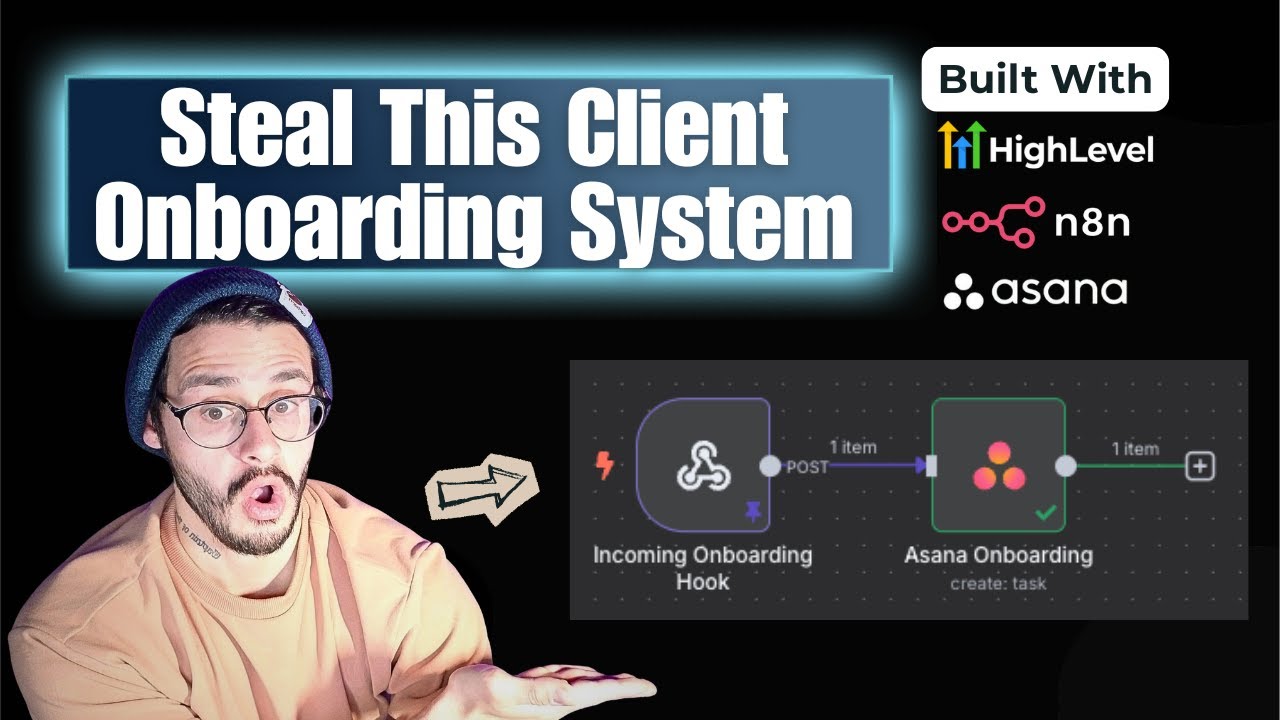
The last thing you want is for a client to pay you and then wonder what happens next. This onboarding system fixes that with one GoHighLevel form, two n8n nodes, and a stack of automatic texts, emails and Slack alerts.
I’m Charles J Dove, I run Charlie Automates, and I recorded this client onboarding automation in November 2025. The tools have evolved (I now build GoHighLevel workflows with Claude Code and the GoHighLevel MCP), but the structure of a good onboarding flow hasn’t changed.
How Do You Build a Client Onboarding Page Without Dragging and Dropping?
You paste in custom code. I took a template website, screenshotted it, and asked ChatGPT for custom HTML I could drop into GoHighLevel’s custom JavaScript/HTML element in the funnel builder. I gave it my form and my video link too, and it built the page with the video and form embedded. I added the logo by drag and drop.
That’s a real speed hack for custom landing pages.
How Do You Build the Thank-You Page?
Same method. I created the next funnel step and asked ChatGPT for a custom thank-you page in HTML. I didn’t like the first version, so I asked for a confetti effect on load and bigger text, then pasted the revised code back in. Simple and effective.
How Do You Connect the Form to the Next Step?
Build the onboarding form in GoHighLevel’s forms section, embed it inline on the page, and in the form settings set on form submit, open URL to the next step in the funnel. I keep all my links in a Google doc so my team knows what’s what.
What Happens After the Sale Closes?
My pipeline runs from agreement and invoice sent, to the first and second calls, to closed deal. If the deal is at a $9,500 price point, I add that to the opportunity, because the next automations need the value.
The first move after closing is sending the proposal. GoHighLevel lets you build a proposal template, so you don’t pay for PandaDoc or DocuSign. Mine is an agreement plus a scope of work. The salesperson fills in the overview and scope, the price, and adds the client as a recipient. Completed agreements stay in one place, and you save money.
Then the closer or salesperson sends the onboarding link. The onboarding page holds a one to two minute video and a form where the client enters their details, including a multi-option dropdown of what they purchased and any details they want us to know in advance.
What Does the Automation Do When the Onboarding Form Is Submitted?
The onboarding workflow does five things:
- Moves the deal to closed deal in the pipeline.
- Waits 5 minutes (a buffer on purpose).
- Notifies my team in Slack that money converted.
- Assigns the contact to the onboarding rep, sends the rep a text and sends the client an onboarding text and email.
- Updates the contact to customer, which triggers the review request workflow.
A second GoHighLevel workflow sends the sale amount to Slack when the pipeline stage is marked won.
What Are the Two n8n Nodes?
A webhook and an Asana node. The workflow sends the form fields from GoHighLevel to an n8n webhook, and the Asana node creates a “needs onboarding” task. I dragged and dropped each field into the Asana task: the client name in the title, and everything else in the description so my team sees all the details. Connecting Asana to n8n takes some effort the first time, and it’s worth it.
How Do You Automate Review Requests?
I built a workflow with a 35-day wait after the onboarding form. After 35 days, the client gets a review request through GoHighLevel’s reputation tools. In the settings, the request goes out by SMS immediately and repeats once a month until the client clicks, up to 5 tries. That means if 100 clients onboard the same day, about 10 might leave a review after the first request and the other 90 are asked again in 30 days. You never chase anyone down.
How Do You Make Clients Feel Looked After?
Proactive texts and emails create what I call the illusion of movement. A client who just paid you wants to know what’s next, even if their session is a week away. After the form, an onboarding calendar goes out automatically so they can book time with the team, and a private WhatsApp group is set up for onboarding.
I run two sales calendars and one onboarding calendar, and I put them in groups. That lets me activate workflows by calendar group, so one workflow fires for any calendar in the group.
If you want to go further with GoHighLevel, take a look at my GHL automation builder and my AI voice agent walkthrough for GoHighLevel. My GoHighLevel link is here if you need an account.
Key Takeaways
- Paste custom HTML from ChatGPT into GoHighLevel’s code element to build pages fast.
- Use GoHighLevel proposals instead of paying for PandaDoc or DocuSign.
- The form submit moves the deal, alerts Slack, assigns a rep and texts the client.
- Two n8n nodes (webhook and Asana) create the onboarding task.
- Review requests run themselves: 35 days after onboarding, SMS, repeated monthly, up to 5 tries.
- Proactive messages make a client feel looked after.
Where to Go From Here
Get your next client on autopilot.
Join AI Autopilot Academy for my 27-day Claude Code mastery program with a 1-click install setup file, plus a proven Claude Code content system to get your next client on autopilot.
The tools from this walkthrough on charlieautomates.com:
At my agency CC Strategic we build systems like this for business owners, and new builds drop every week on my YouTube channel @charlieautomates.
FAQ
How do I automate client onboarding in GoHighLevel? Build an onboarding page and form, then create a workflow that moves the deal to closed, alerts your team, assigns a rep, texts and emails the client, and updates the contact to customer.
What are the two n8n nodes? A webhook that receives the GoHighLevel form fields, and an Asana node that creates an onboarding task with the client details.
How do I automate review requests? Add a 35-day wait to the onboarding workflow, then send a review request through GoHighLevel’s reputation settings. It repeats monthly until the client clicks, up to 5 tries.
Can I skip PandaDoc and DocuSign? In this setup, yes. GoHighLevel proposal templates hold the agreement and scope of work, with recipients and completed agreements in one place.
Is this walkthrough current? It’s from November 2025. The tools have evolved, but the onboarding structure still works.