Not sure what to fix first?
Most people don’t need another AI tool. They need to know which thing is actually costing them the most.
The AI Bottleneck Finder asks you a handful of questions, then tells you the one constraint capping your revenue right now plus two builds you could ship this week. Five minutes, free, no call required.
Take the free AI Bottleneck Finder →
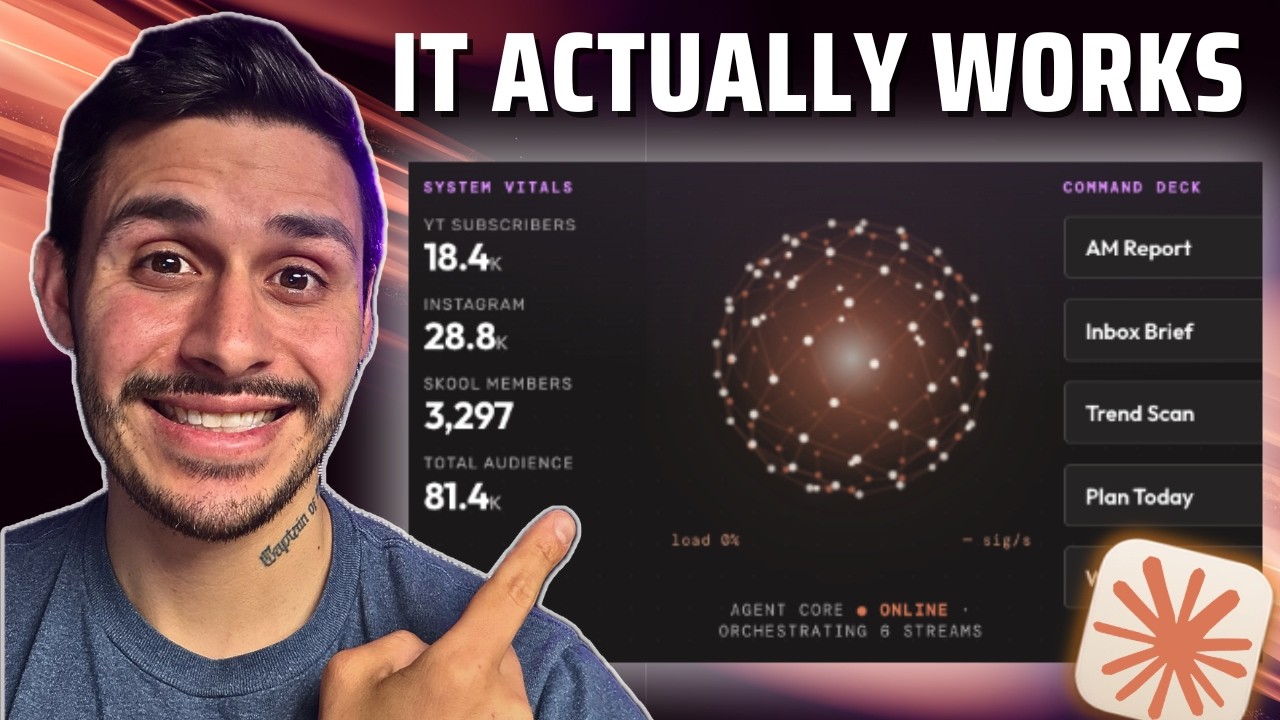
If you’re using Claude Code in 2026 but you still don’t have an agentic OS, this is the most valuable Claude Code tutorial you’ll watch all year. Your competitors are already running their entire day out of one dashboard. All their data, all their workflows, all their customers, in a single agentic command center. This is the easiest way to 20x your agentic output, and it only takes three steps.
I’m Charles J Dove, founder of Charlie Automates. I built this exact stack live on camera, from a blank folder to a deployed app running on my phone. Watch the full A-to-Z build here, then read on for the steal-this version:
Why most people never get past the chat box
Most people use Claude Code like a chat box. They type a question, get an answer, close the tab, and everything Claude knew is gone. No memory, no dashboard, no system that runs without them babysitting it.
An agentic OS fixes all three. You give Claude a brain it can search, a framework that builds your tools for you, and a home on the cloud so it runs 24/7. Not a mockup. The real stack I run every day.
The three steps are simple: the brain, the build, and the ship.
Step 1: The Brain (Obsidian + Graphify)
First you give Claude something to remember. The brain is two parts: Obsidian and Graphify.
Obsidian is a free notes app. It’s where your data lives as plain markdown. Drop your notes, docs, and project files into a vault. Then you run Graphify on top of it.
Graphify takes every asset inside your codebase or vault and maps meaningful relationships between all of them. Instead of Claude rereading everything every session, it traverses a graph of connected nodes. That’s your queryable brain, no database and no setup headache.
You don’t strictly need the brain for a V1, so if you want to ship fast you can skip it and add it later. But if you want the full thing from the start, I did a separate 9-minute deep dive on the setup. Watch the Graphify tutorial first and grab the repo from that video’s description.
Step 2: The Build (SEED + PAUL do it for you)
This is the part that makes it yours. You don’t hand-build the dashboard. You point two frameworks at your idea and watch them build it.
SEED is the ideation tool. Instead of one-shotting a messy prompt into Claude, SEED runs a guided interview, then packages your idea into a clean spec Claude can actually read. Install it global, then run /seed:seed.
PAUL is the build system. It stands for Plan, Apply, Unify, Loop. SEED graduates your idea straight into PAUL, which scaffolds the project in your apps folder and creates a full memory system:
- A project file that says exactly what the app is and what’s out of scope
- A roadmap with the current milestone and every phase
- A state file showing which phase is done and what percent is complete
Then the loop runs: /paul:plan a phase, /paul:apply to build it, /paul:unify to update those memory files so Claude always knows where it left off, then loop to the next phase. It builds chunk by chunk and tests each phase instead of one-shotting the whole thing and praying.
For my build I told Claude what I wanted in one sentence: an agentic OS using my Charlie Automates brand kit, connected to my YouTube and Instagram, with a couple of workflows from my Hermes agent. SEED interviewed me on the shape (local with the option to host on Railway), whether to wire in my Hermes VPS, and who would use it. Then it packaged the whole thing and launched it into PAUL.
Both frameworks are free. Grab SEED on the toolkit and PAUL right next to it at charlieautomates.com.
The pause feature that saves your project
When context runs thin, don’t just close the terminal. Run /paul:pause. It writes a handoff document, archives it, and lets you open a fresh context window. Next session you run /paul:resume, it pulls the handoff plus the state files back into context, and picks up exactly where you left off. That’s how you ship projects instead of abandoning them at 70 percent.
Step 3: The Ship (local or live on Railway)
Now you decide. Keep it private on your machine, or put it online so it runs 24/7.
Option A: keep it local. Do nothing extra. Claude launches it on localhost and it boots on your computer. Your data never leaves your machine.
Option B: go live. Push the repo to GitHub, then deploy on Railway and you get a live link you can open on your phone as an app. You’ll want two CLI tools so Claude can do it all for you instead of clicking around:
- GitHub CLI to create the repo and push from the terminal
- Railway CLI to deploy and fill in your environment variables
Install both, authenticate each one, and from there you can just tell Claude “create the repo and deploy it on Railway.” Whatever the CLI can’t do, Claude handles through Claude in Chrome. On Railway you add the same keys from your .env file as variables, it builds, and hands you a live URL.
Heads up: real deploys hit snags. Mine failed the first build and pointed at localhost instead of the live URL. The move is the same every time. Screenshot the error, hand it to Claude, let it fix and redeploy. That back-and-forth is the process, not a sign you broke something.
Bonus: connect Hermes and your brain to the live app
Once it’s deployed, two final pieces make it powerful. I wired my Hermes agent (running on a Hostinger VPS) into the live OS through a traffic route, so I can run any skill from the dashboard, on the go, on any model I want. Then I registered the Graphify output as an MCP inside Railway, so the deployed app can query my agent brain directly. Now it’s a real command center: live YouTube metrics, clickable workflow buttons, and a searchable brain, all on my phone.
Want the deeper reasoning behind SEED and PAUL? There’s a full SEED & PAUL deep-dive podcast that walks the thinking end to end.
Key takeaways
- An agentic OS beats the chat box because it has memory, a dashboard, and a home on the cloud that runs without you.
- Three steps: the brain (Obsidian + Graphify), the build (SEED + PAUL), the ship (local or Railway).
- SEED packages your idea into a spec. PAUL plans, applies, unifies, and loops, with a project file, roadmap, and state file so Claude never loses the thread.
- Use
/paul:pauseand/paul:resumeto keep perfect context across fresh windows instead of abandoning builds half-finished. - Deploys break. Screenshot the error, hand it to Claude, redeploy. That loop is the job.
I posted the entire build on my YouTube channel at @charlieautomates. At my agency CC Strategic, this is the exact system we use to ship client OS builds that hold up under real data, not five-minute demos that fall apart the second you connect a live API.
Not sure what to fix first?
Most people don’t need another AI tool. They need to know which thing is actually costing them the most.
The AI Bottleneck Finder asks you a handful of questions, then tells you the one constraint capping your revenue right now plus two builds you could ship this week. Five minutes, free, no call required.
Take the free AI Bottleneck Finder →
Want more builds like this without the trial and error? Join the CC Strategic AI community on Skool. 3,200+ business owners, new AI builds and workflows dropped weekly.
FAQ
Q: What is an agentic OS? It’s your own command center built on Claude Code. It gives Claude a searchable memory (your brain), a dashboard with live data and clickable workflows, and a home on the cloud so it runs 24/7. Your data, your skills, your knowledge graph, nothing rented from a SaaS that can disappear.
Q: Do I need Graphify and Obsidian to start? No. You can ship a V1 of your agentic OS with just SEED and PAUL, then add the brain later. If you want it from the start, watch the Graphify tutorial first since it’s only 9 minutes.
Q: What’s the difference between SEED and PAUL? SEED is ideation. It interviews you and packages your idea into a spec Claude can read. PAUL is the build system. It stands for plan, apply, unify, loop, and it builds the project phase by phase while keeping a project file, roadmap, and state file so Claude always knows where it left off.
Q: How do I get SEED and PAUL? Both are free and linked on the Charlie Automates toolkit at charlieautomates.com/free-resources. SEED lives at the #seed anchor and PAUL at #paul-plugin. Copy each install command into a terminal, hand it to Claude, and set it global.