Find the one bottleneck killing your revenue.
30-minute free strategy call with Charles. We diagnose your highest-leverage AI bottleneck, install Charlie OS live on your Mac or Windows in one hour, and map your exact next 30 days, all on the same call.
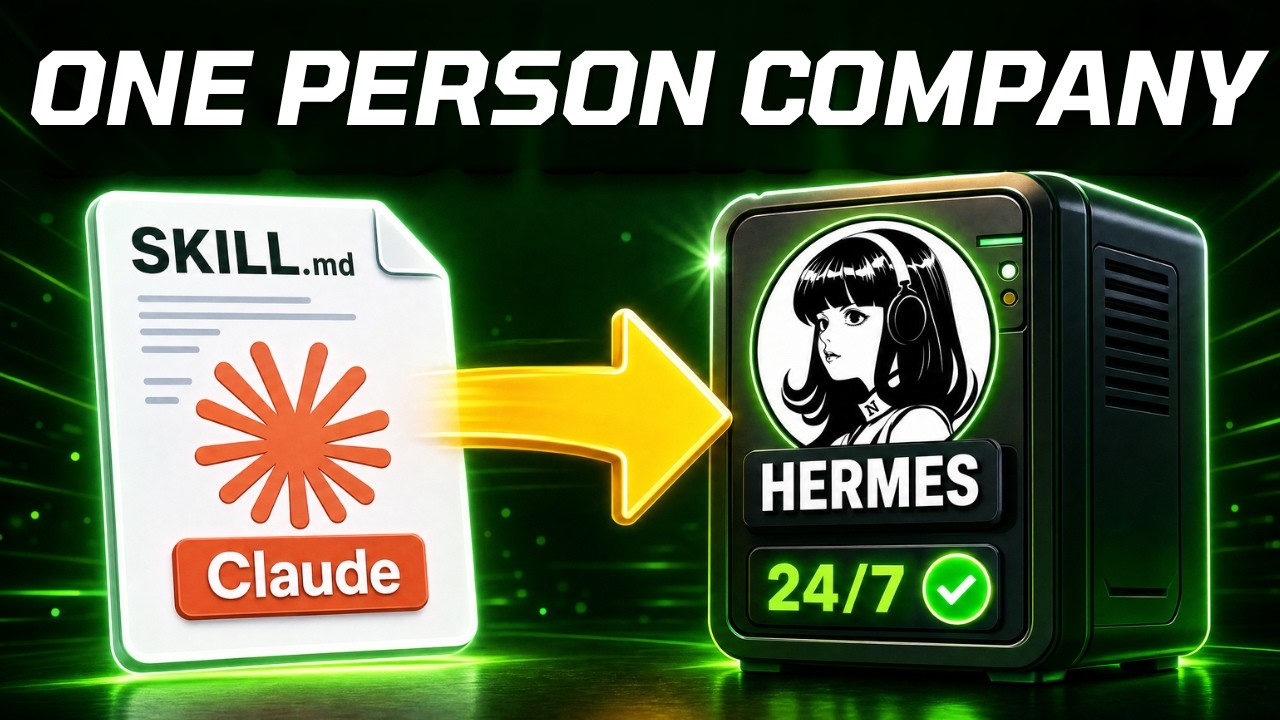
Last video you built a Claude skill in about 10 minutes. There was one problem: it only ran when you typed the command. You were still the one pushing the button. Today we fix that, and turn it into a 24/7 AI employee that runs without you.
I’m Charles J Dove, founder of Charlie Automates. This is Part 2 of the SkillSmith series. If you haven’t built your first skill yet, start with Part 1, An AI Agent Is Just a Claude Skill (watch the video here), then come back to make it autonomous.
The problem with a skill that waits for you
A skill that only fires when you run a command isn’t an employee. It’s a tool you still have to pick up. Real leverage is the thing that works while you sleep, pulls its own data, and drops the result in front of you before you wake up.
There are 3 ways to get there. I’ll give you my honest take on each, then go all in on the one I actually run.
The 3 ways to make a Claude skill run 24/7
1. Hermes on a VPS (my default). Hermes is a self-hosted agent you run on a cheap virtual server. You own it. It’s on 24/7, it self-improves, it uses any AI model you want (Claude, GPT, DeepSeek, all of them through one key), and it can text you from your phone. This is the move if you want full control.
2. Claude Managed Agents. These are cloud-hosted on Anthropic’s servers. Zero ops, nothing to maintain, and the easiest path if you’re less technical. I set mine up from the terminal in about 15 minutes. The tradeoff: you’re locked to Claude models only, so no GPT if you want it.
3. n8n. Still a solid option if you already live inside workflows. It fires off a trigger, usually a schedule, and you can swap that trigger for an inbound text from WhatsApp, Telegram, or Slack.
Why a VPS instead of your own machine? Your laptop closes. It isn’t reachable from your phone around the clock, and it isn’t isolated from your personal files. A VPS is always on, sandboxed in its own environment, cheap, and it’ll run any model you point it at.
The full Hermes setup, A to Z
Here’s the exact path I walk through in the video.
Deploy it. On Hostinger you open the Docker Manager, hit Catalog, search “Hermes,” and click Deploy. It’s a one-click install. No manual server config. Set a username and password and you’re live. (If you grab a VPS to follow along, the code charlieautomates gets you 10% off the 12 or 24 month plan.)
Plug in the model. Open the Hermes CLI and run the setup. Choose OpenRouter as the provider. The beauty here is one key. You fund an OpenRouter wallet with about 10 bucks, generate one API key, hand it to Hermes, and you’ve unlocked every model OpenRouter carries. No juggling separate keys for Claude, GPT, and DeepSeek.
Connect Slack. Pick the platform you want to talk to Hermes through. I chose Slack so I can run my agent from my phone. You create an app at api.slack.com, grab the bot token from OAuth and Permissions, and the app-level token from Basic Information, paste both into Hermes, and enable. Now you’re chatting with your agent from anywhere.
The cheat code: migrate from your Claude chat. This is the part nobody shows. You connect Claude Code’s chat straight to your VPS with an SSH key. Tell Claude “make me an SSH key,” paste the public half into your Hostinger panel, and ask Claude to test the connection. Once the door is open, you set it up once and never again. From there you just tell Claude to take your skill file and move it onto Hermes, and wire up any MCP connections the skill needs. In my case the skill needed Apify for the YouTube and Instagram scrapers, so Claude configured that MCP for me. Claude Code becomes your skill factory and migrates everything over on command.
Schedule it. Inside Hermes there’s a Cron tab for time-based triggers. I told Claude to schedule my skill to run a viral audit every Monday at 9am and post the result straight into Slack. Done. The agent now wakes up on its own, pulls the data through the Apify MCP, runs the audit on both my YouTube long-form and Instagram, and drops a synopsis in my Slack while I’m asleep.
That’s the whole loop. No commands. No babysitting. At my agency CC Strategic, this is the same pattern we build for clients who want systems that run without a human in the loop.
Key takeaways
- A skill that waits for a command is a tool. A skill on a schedule is an employee.
- Three paths to autonomy: Hermes on a VPS (full control), Claude Managed Agents (easiest, Claude-only), n8n (best if you already use it).
- One OpenRouter key gives Hermes access to every major AI model.
- The unlock is connecting Claude Code to your VPS over SSH, then letting Claude migrate the skill and wire the MCPs for you.
- Cron turns your skill into a recurring, self-running agent that reports into Slack.
Want the one-command version? Inside SkillSmith you can build a /24/7 command that runs this entire migration for you. One command and your skill goes autonomous on your VPS. I break it all down on my YouTube channel, Charlie Automates (@charlieautomates).
Install Charlie OS in one hour.
The AI Bottleneck Protocol, live on your Mac or Windows in 60 minutes, then we map your exact next 30 days on the same call. Free first, fit-checked.
Want the step-by-step and a room full of people building the same systems? Join CC Strategic AI on Skool. Everything I show on charlieautomates.com gets workshopped there first.
Resources
- Part 1 of this series (Create Claude Skills in 10 minutes with SkillSmith): watch on YouTube
- Hostinger KVM 2 (the VPS I run Hermes on): grab it here — coupon code CHARLIEAUTOMATES for an extra discount.
- Hostinger / Hermes support doc: How to get started with Hermes Agent on Hostinger VPS
- OpenRouter (one key, every AI model for Hermes): openrouter.ai
FAQ
What is Hermes Agent? Hermes is a self-hosted AI agent you run on your own server. It stays on 24/7, connects to messaging apps like Slack and Telegram, runs scheduled jobs, and works with any AI model you plug in through OpenRouter.
Do I need to know how to code to set this up? No. The Hostinger install is one click, and the trickiest part (moving your skill onto the server and wiring up its tools) is handled by telling Claude Code what to do in plain English. If you want zero server management at all, use Claude Managed Agents instead.
How much does it cost to run a 24/7 agent? A Hostinger VPS is a few dollars a month, and you fund your AI usage through an OpenRouter wallet (around 10 dollars gets you started). You pay for the API calls your agent actually makes, not a flat subscription.
Why use a VPS instead of running it on my laptop? Your laptop closes, isn’t reachable from your phone at all hours, and isn’t isolated from your personal files. A VPS is always on, sandboxed, cheap, and reachable from anywhere, which is exactly what an autonomous agent needs.